
Skip to content
King Addons

KING ADDONS FOR ELEMENTOR

Build complete websites.
With Elementor.

100+ widgets, 650+ premium templates and 4,000+ ready-made sections. Build headers, footers, online stores and popups in the Elementor editor.

Works with free Elementor Free and Pro options

EDIT IN ELEMENTOR
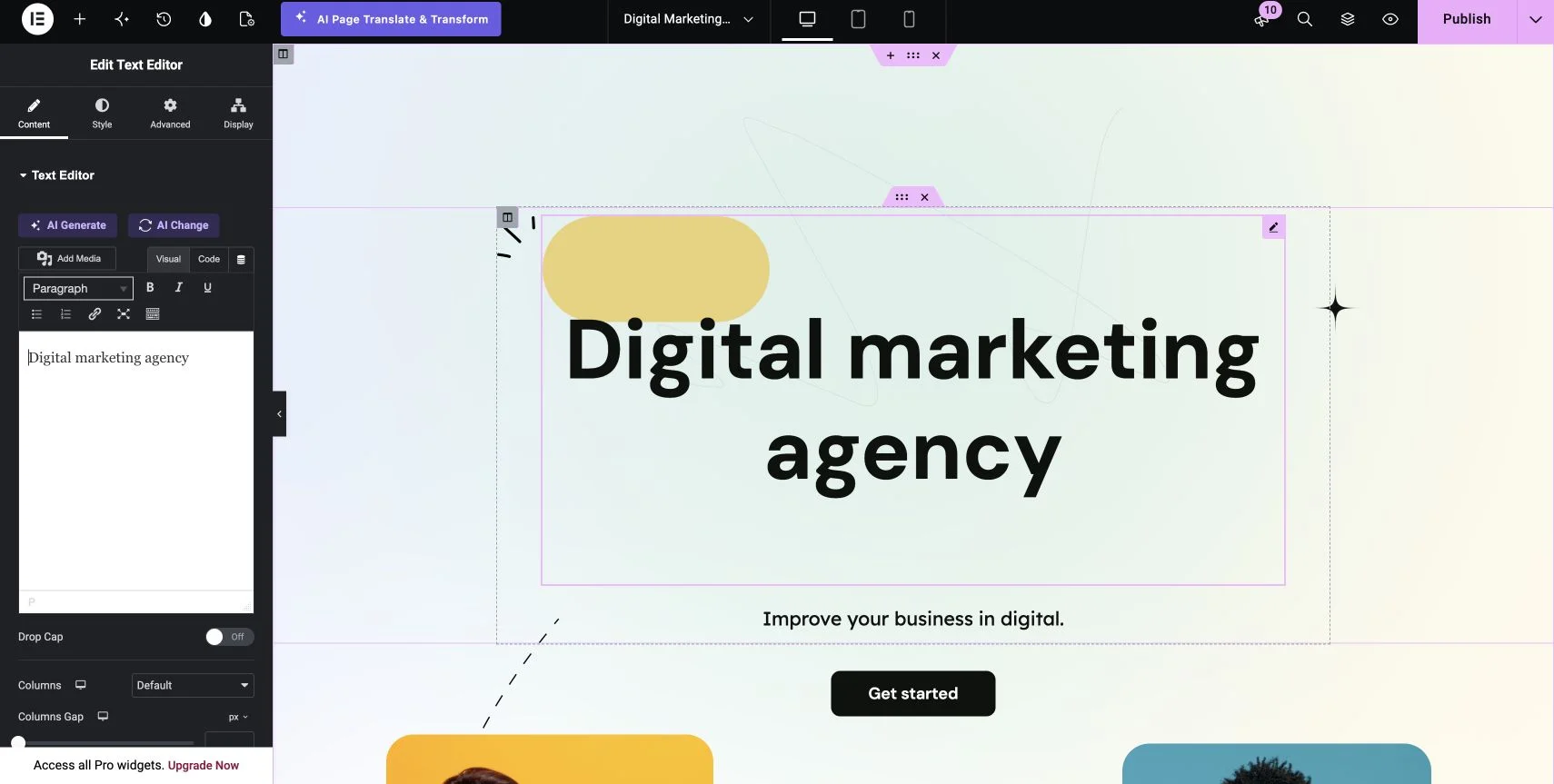
An imported Digital Marketing Agency template being edited in Elementor, with the heading controls beside the page.
Your design. Editable.Text, images, layouts and styles.

20,000+users

100+Elementor widgets

650+premium templates

4,000+ready-made sections

CHOOSE HOW TO BUILD

Templates, widgets or a complete site builder.

Start with the part of your project you want to build. Each route leads to examples and the relevant tools.

ELEMENTOR TEMPLATE LIBRARY

Elementor templates for complete pages.

Browse business, restaurant, agency and other designs. Free designs and premium templates are clearly labelled in the catalog.

ELEMENTOR WIDGETS

100+ widgets for Elementor.

Open a live demo to see how a widget looks and works before adding it in Elementor.

SITE BUILDERS & EXTENSIONS

Build headers, stores, menus and popups.

These tools work with free Elementor. Each extension has its own Free and Pro controls; the examples below explain what Pro adds.

BUILD SITE LAYOUTS

Theme Builder +
Header & Footer Builder

Design reusable headers, footers, single posts and archive layouts. Control where each template appears.

WHAT PRO ADDS

Pro adds custom post type and taxonomy locations, advanced conditions and more precise header and footer targeting.
Explore Theme Builder
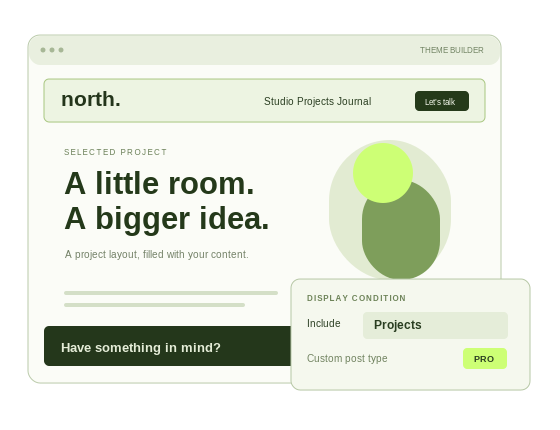
Illustrative site layout showing a header, footer and a template display condition.
Illustrative layout. Customize the design and content in Elementor.

ELEMENTOR EXTENSION

WooCommerce Builder

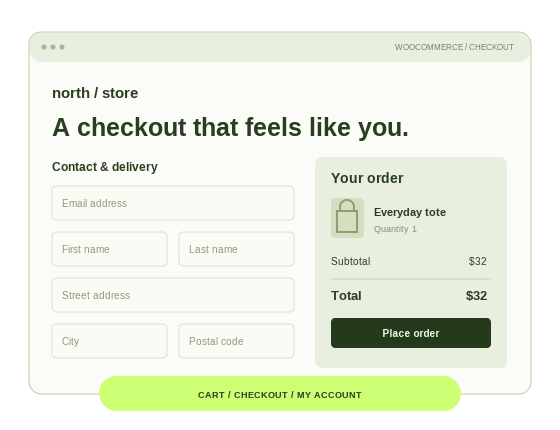
Design product and shop layouts, then customize the cart, checkout and customer account in Elementor.

WHAT PRO ADDS

Pro adds Cart, Checkout and My Account template types. Single Product and Product Archive templates are available in Free. Requires WooCommerce.

Explore WooCommerce Builder
Illustrative WooCommerce checkout with customer fields and an order summary.
Illustrative layout. Customize the design and content in Elementor.

ELEMENTOR EXTENSION

Mega Menu

Create dropdown navigation with Elementor content, icons and responsive menu layouts.

WHAT PRO ADDS

Pro adds custom Elementor menu items and Elementor templates as dropdown content. WordPress navigation menus are available in Free.

Explore Mega Menu
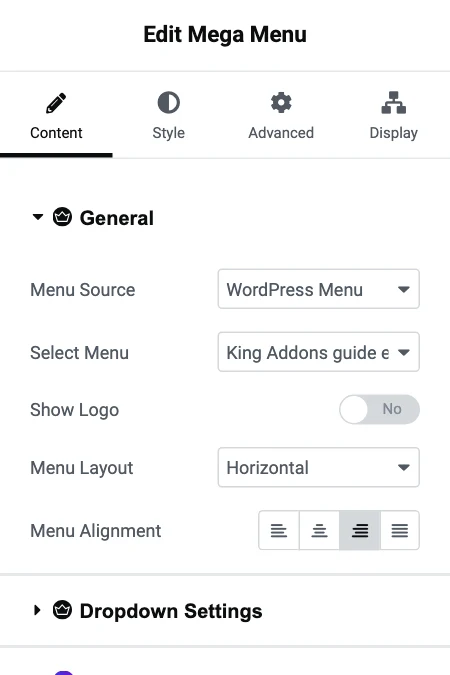
Actual King Addons Mega Menu controls in the Elementor editor.
Actual Elementor editor controls.

ELEMENTOR EXTENSION

Popup Builder

Create signup forms, announcements and offers. Choose when and where visitors see each popup.

WHAT PRO ADDS

Pro adds scroll, exit-intent, inactivity and button-click triggers, plus advanced targeting. Free includes page-load opening and entire-site display.

Explore Popup Builder
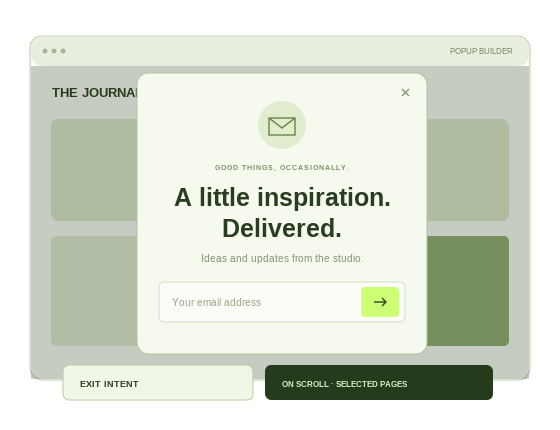
Illustrative newsletter popup showing scroll and exit-intent triggers.
Illustrative layout. Customize the design and content in Elementor.

ELEMENTOR EXTENSION

Dynamic Tags +
Loop Builder

Connect a reusable card design to posts, products or custom entries. Show the relevant content in each card.

WHAT PRO ADDS

Core Loop Builder and standard tags are Free. Pro adds ACF, custom-field and WooCommerce tag sources. ACF and WooCommerce require their respective plugins.

Explore Dynamic Tags
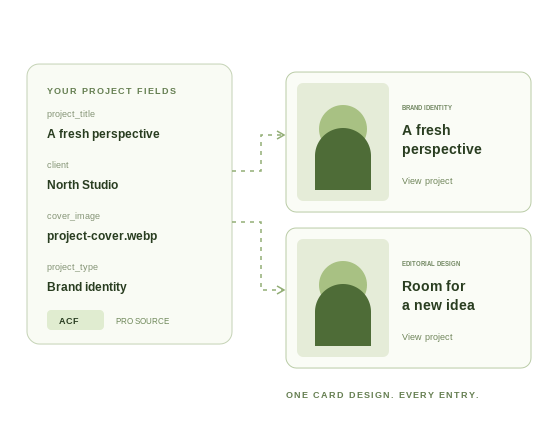
Illustrative custom fields connected to reusable project cards.
Illustrative layout. Customize the design and content in Elementor.

Image optimization and more site tools.

Convert images to WebP, manage content access and configure other extensions from WordPress.

Browse all 19 extensions

HOW TO USE KING ADDONS

Choose a template. Import it. Edit in Elementor.

A real example from the free template library, shown in WordPress and the Elementor editor.

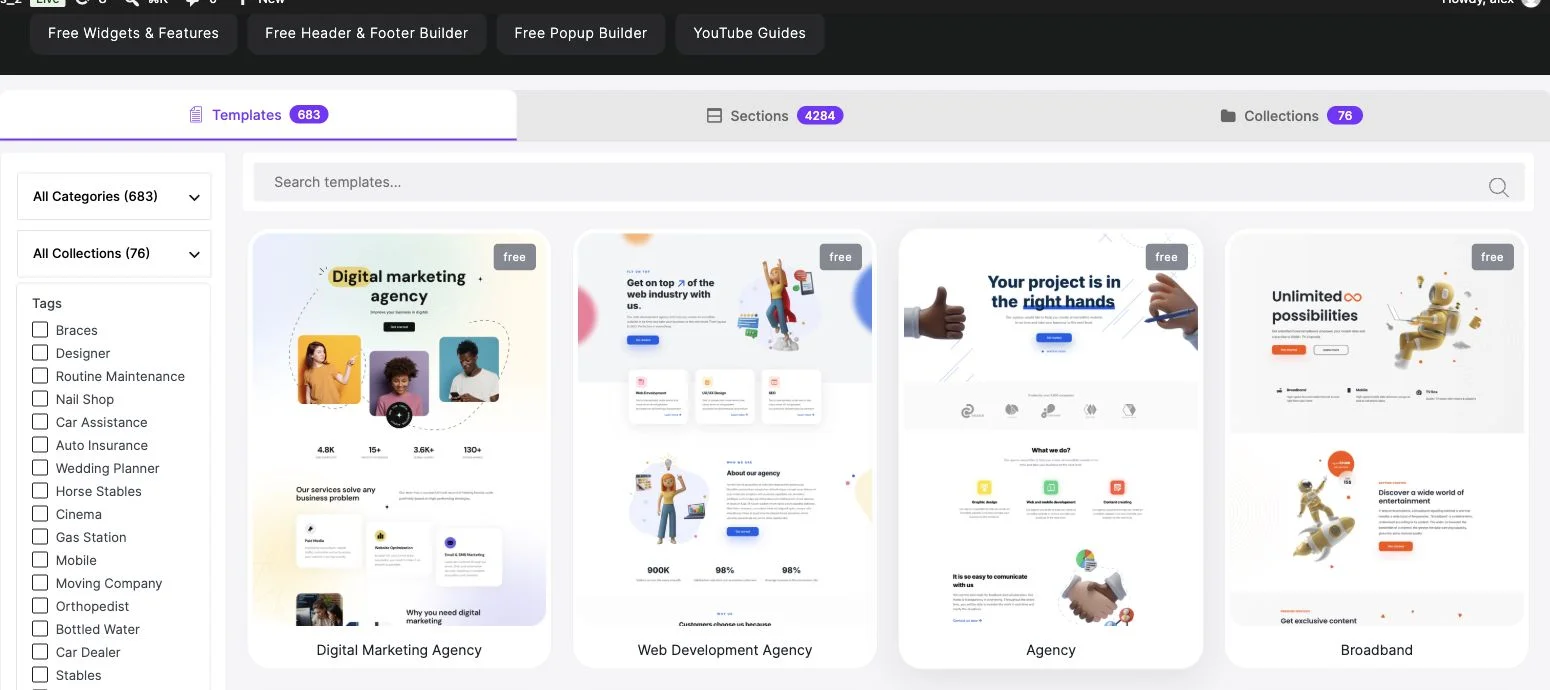
The King Addons template catalog in WordPress with search, filters and free template cards.
01

Choose a design

Open Templates Pro in WordPress. Search the library and preview a free or premium design.

The Digital Marketing Agency preview with the Import Free Template button.
02

Import the template

Preview the page, then use Import Free Template. Premium templates require Pro.

The imported template open in Elementor with editable heading controls.
03

Customize in Elementor

Replace text and images, adjust spacing and colors, and check the mobile layout before publishing.

KING ADDONS FREE VS PRO

Start free. Upgrade for premium controls.

Both versions work with free Elementor. Choose Pro when your project needs premium designs, advanced targeting or additional builder controls.

KING ADDONS FREE

Free widgets and core site builders.

  • Free widgets and template designs
  • Core Theme and Header & Footer layouts
  • Basic popup opening and display settings
  • Standard Dynamic Tags and core Loop Builder
  • 200 image optimizations per month
Download Free

KING ADDONS PRO

Premium designs and advanced controls.

  • Premium templates and widget controls
  • Advanced template conditions and targeting
  • WooCommerce cart, checkout and account layouts
  • Advanced popup triggers and custom-field tags
  • Unlimited image optimization and automatic processing
Compare Pro plans

See the detailed Free vs Pro comparison Feature availability varies by tool. AI features may require your own API credentials and usage charges.

DOCUMENTATION & SUPPORT

Setup guides for your Elementor project.

Find widget settings, import instructions and step-by-step tutorials. Contact support when you need help choosing or setting up a feature.

KING ADDONS PRO LIFETIME

Pro features.
Unlimited websites.

Premium templates, advanced widgets and site builders for your own sites and client projects. All future plugin updates included.

30-day money-back guarantee Works with free Elementor

$89one-time payment
Explore Pro LifetimeCompare all plans Prices in USD. Applicable taxes are calculated at checkout.