













Skip to content
Image Grid & Slider/Carousel/Gallery for Elementor

Image Grid & Slider/Carousel/
Gallery

With the Image Grid & Slider/Carousel/Gallery widget for Elementor by King Addons, you can display your images beautifully and dynamically.

About Widget

Whether you need a modern image grid, a sleek slider, or an engaging carousel
create eye-catching galleries
This widget gives you the flexibility to create eye-catching galleries that enhance your website’s design.
srthwg
kdjfnb
aethn
hnejng
srynj
uyrgh
wrehn
ae45h
atrhrtj

Customize grid or slider

Customizable Layouts for a Perfect Fit
Tailor the Posts Grid & Slider widget to match your website’s design effortlessly. With multiple grid styles, carousel options, and advanced customization settings, you can create a post display that fits your brand seamlessly.
Multiple Display Options
Multiple Display Options for Maximum Impact
30166052
28532687
30371227
30148204
30215602
2148325958
2148325960
kjern
30274233
28537375
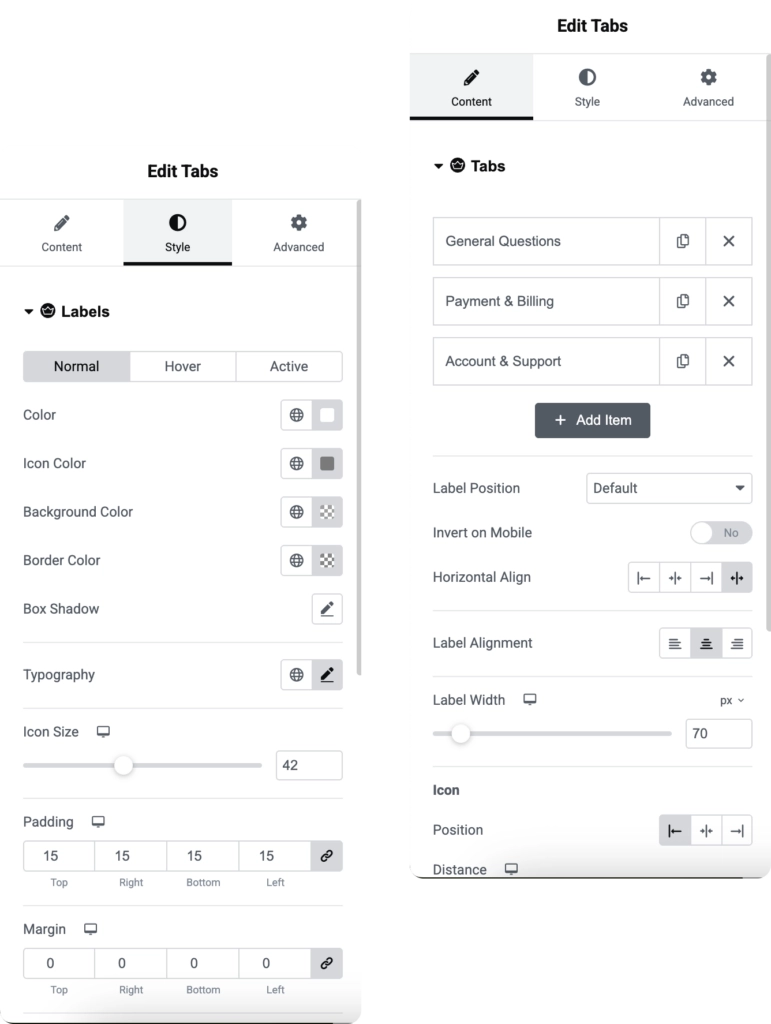
Add more tabs
The Tabs widget allows you to break down content into clear, structured sections, ensuring a clutter-free and user-friendly experience
30166052
28532687
30371227
30148204
30215602
2148325958
2148325960
kjern
30274233
28537375
Pro Featires
Unlock Premium Features with Pro
Upgrade to Pro and take full control over your tabbed content with powerful enhancements! With the ability to add unlimited tabs, you can organize large amounts of information effortlessly. Use Elementor templates or custom fields as tab content types for maximum flexibility. Set the active tab by default, ensuring visitors see the most relevant content first and more.
Turn Your Blog into a Visual Experience
Static post lists can feel outdated—bring your content to life with a dynamic slider or carousel!
  • All Posts
  • Digital Marketing
  • King Addons
  • Tips
  • Widget
Beautiful Web Experiences
Create Even More Beautiful Things with King Addons!

FROM A DETAIL TO YOUR DESIGN

Find it. Add it.
Make it yours.

Build in the editor you already know.

Read the documentation
  1. 01

    Open your page in Elementor

    Install and activate King Addons alongside Elementor.

  2. 02

    Find Image Grid & Slider/Carousel/Gallery

    Search the widget panel and add it to your layout.

  3. 03

    Give it your own direction

    Adjust the content and settings, then preview your layout on different screen sizes. Pro options require an active Pro license.

KEEP YOUR IDEA MOVING

Use Image Grid & Slider/Carousel/Gallery in Elementor

Open the setup resources or explore the rest of the widget collection.

THE COMPLETE ELEMENTOR TOOLKIT

Your next project. A little more possible.

650+ premium templates. 4,000+ sections. One complete Pro toolkit.

Explore Pro Lifetime — $89One payment · Unlimited websites