
Use the King Addons Mega Menu widget for WordPress navigation. Choose Pro when you need Custom Elementor Menu items or Elementor templates inside dropdowns.
Before you start
Elementor and King Addons. A WordPress menu is needed for the standard menu source. Custom Elementor dropdown content requires Pro.
Set it up in WordPress
Plan the groups of links
Keep top-level labels short and group dropdown links around visitor tasks. Start with the menu structure before styling the panel.
Add Mega Menu to your header
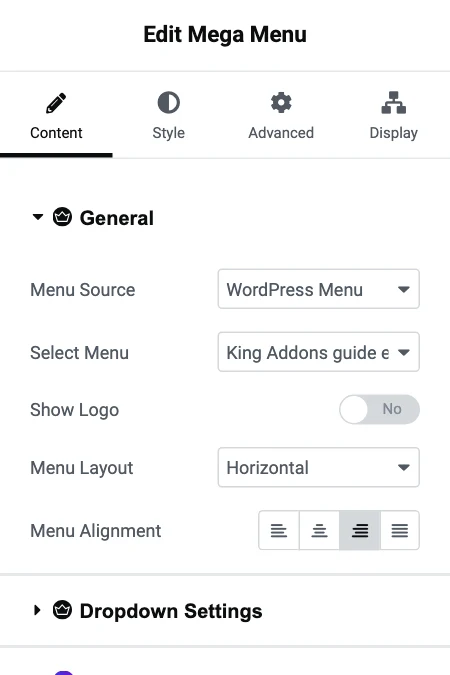
Open the header in Elementor and add the King Addons Mega Menu widget. Use the WordPress menu source for an existing navigation menu.
Choose the content source
Select the WordPress menu you want to display. For a designed dropdown with Elementor templates, use the Pro Custom Elementor Menu source and its custom item controls.
Style the navigation states
Check link spacing, dropdown alignment, active states and the background behind the menu. Keep text readable over the page beneath it.
Test desktop and mobile navigation
Open and close dropdowns, tab through the links and test the mobile navigation. Confirm that every destination remains reachable without hover.
Check the result
Test the longest dropdown and its last link on a small screen. A rich desktop dropdown must not make mobile navigation harder.
Common questions
Can the Free widget display a WordPress menu?
Yes. Standard WordPress menu output is supported.
Can I use an Elementor template as dropdown content in Free?
That custom menu content is a Pro feature in the reviewed widget.