
Organize more destinations
Group products, services or resources into clear menu sections.
Mega Menu
Create dropdown menus with grouped links, icons and Elementor content.
See how to get startedA clear header makes the rest of your website easier to explore.
Group products, services or resources into clear menu sections.
Use the layout options available in the Mega Menu widget.
Make useful destinations easier to discover from the header.
See the King Addons interface you use to configure the feature.
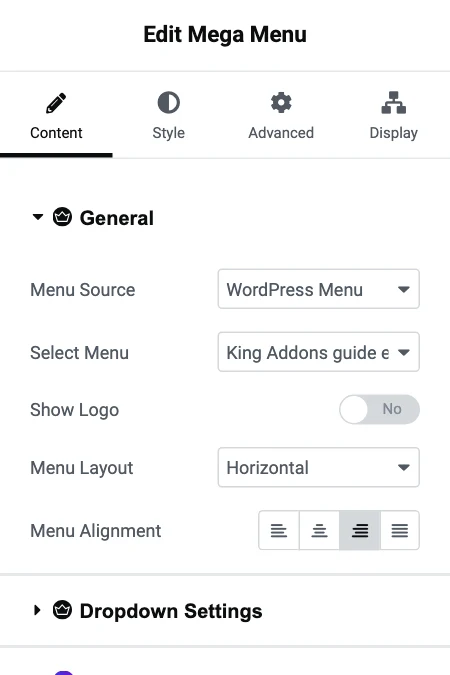
A multi-column menu gives related destinations a place together. Keep labels clear and check how visitors move through the menu on a phone.
Choose the feature access that fits the site you are building.
Works with free Elementor and King Addons. Features listed as Pro require active premium access.
Use the same tool for the layouts your visitors need.
Organize related services beneath a clear top-level menu label.
Group documentation, examples and guides so visitors can scan their options.
Use Pro custom items and Elementor templates for a designed mega-menu panel.
Explore the documentation for setup details.
Yes. WordPress menus are supported.
Mega Menu is an Elementor widget within King Addons.
See the tool, follow the setup instructions and choose the plan you need.
Find the King Addons plan that fits your sites.