
A STARTING POINT. YOUR DIRECTION.
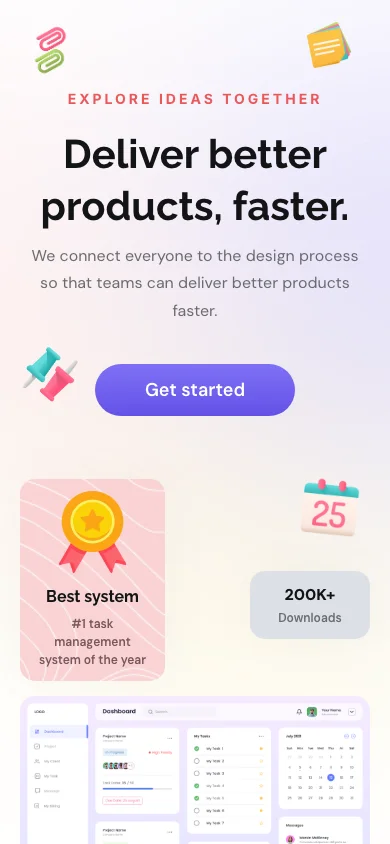
Task Management App — Elementor Template
A product-led layout for presenting a task management application.

Pro library entryCollection 2Edit with Elementor
Preview content is illustrative. Replace sample text, images, ratings and business claims before publishing.
Make the design yours.
Use your own product screenshots, explain the core workflow and connect the signup or demo action to your service.
Preview the full page to check its content areas, spacing and responsive presentation. This is an editable starting layout, rather than a preconfigured business or application.
What you need
- WordPress, Elementor and King Addons.
- An active King Addons Pro license for this premium import.
- Your own content, media permissions and working destination links.
- Any additional integrations needed for your forms, bookings or store.
Import it, then finish the details.
- Open the page in Elementor and open the King Addons template library.
- Find Task Management App in the library and preview it.
- Import the design, then replace the sample content and adjust the style.
- Connect the real forms and actions, check mobile widths and publish when ready.
More saas apps designs
Compare other starting points in the collection.
Check Free and Pro access
Choose the feature and template access your project needs.
Follow a practical guide
Turn the imported layout into a working page.
THE COMPLETE ELEMENTOR TOOLKIT
Your next project. The tools to build it.
650+ premium templates. 4,000+ sections. One complete Pro toolkit.
Explore Pro Lifetime — $89One payment · Unlimited websites