
Work through existing images
Run bulk optimization on the Media Library.
Image Optimizer
Optimize your WordPress Media Library, convert supported images to WebP and configure automatic optimization for new uploads.
See how to get startedProcess existing images or include new uploads in the workflow.
Run bulk optimization on the Media Library.
Convert supported JPEG and PNG images to WebP.
Configure automatic processing when images are uploaded.
See the King Addons interface you use to configure the feature.
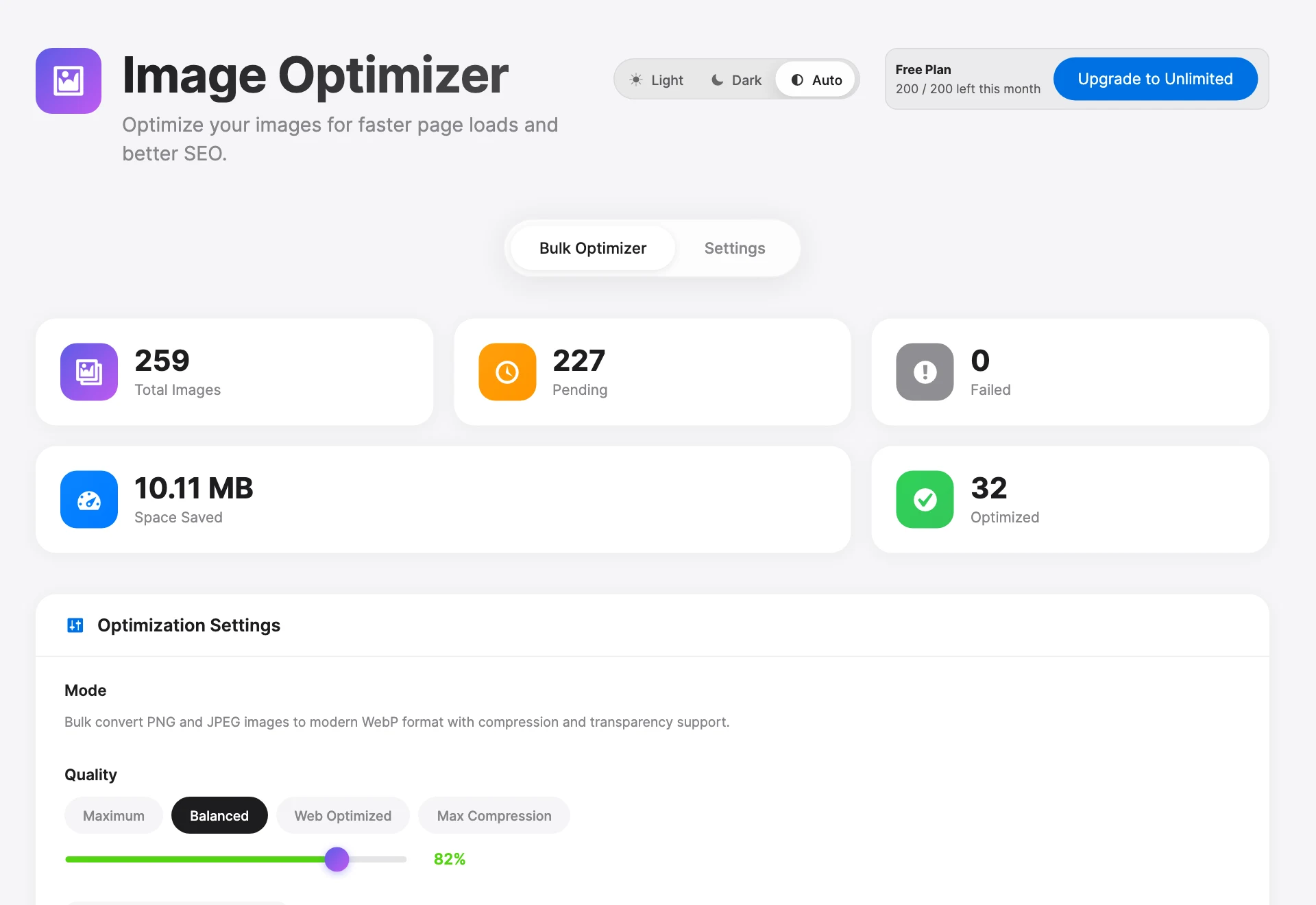
Start with a few images, review quality on the page, then process the rest of the library. Automatic optimization can keep new uploads in the same workflow.
Choose the feature access that fits the site you are building.
Requires supported image formats and image-processing libraries on the WordPress server.
Use the same tool for the layouts your visitors need.
Review a small batch before processing more images.
Configure the automatic processing settings for your upload workflow.
Use Pro when the Free monthly processing quota is too small.
Explore the documentation for setup details.
Yes. Bulk processing works through images already in the Media Library.
Yes. Configure the automatic optimization option in the extension.
See the tool, follow the setup instructions and choose the plan you need.
Find the King Addons plan that fits your sites.