
Use the content you already store
Connect supported controls to post fields, custom fields or author data.
Dynamic Tags
Fill Elementor controls with data from your posts, custom fields, authors, site and WooCommerce products.
See how to get startedDesigner at Fieldwork Studio.
Connect supported controls to post fields, custom fields or author data.
Use supported field integrations, including ACF, for structured content.
Let the same design show the values for the content being viewed.
See the King Addons interface you use to configure the feature.
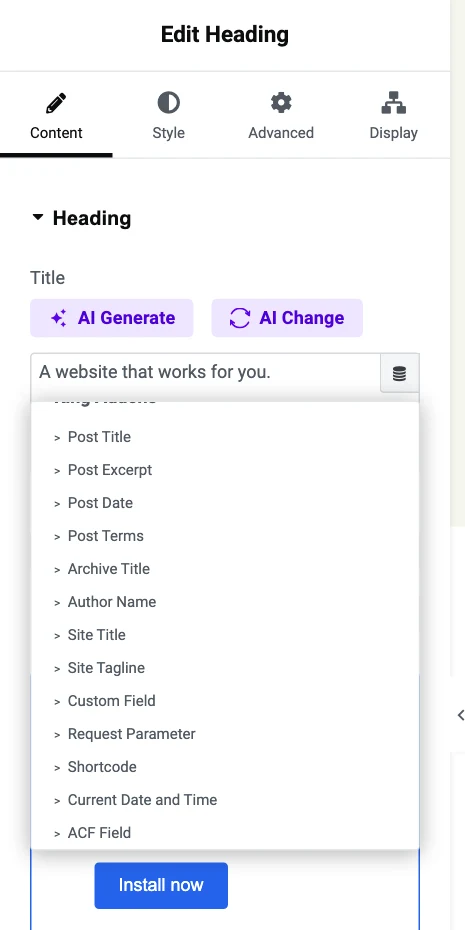
A property, team profile or product can share a layout while its title, description and other fields change with the entry. Dynamic Tags connects the controls that make those layouts useful.
Choose the feature access that fits the site you are building.
Requires Elementor. ACF sources also require Advanced Custom Fields; product sources require WooCommerce.
Use the same tool for the layouts your visitors need.
Connect headings and images to the current post.
Use Pro ACF fields for structured details stored with the project.
Use Pro product field tags when WooCommerce supplies the data.
Explore the documentation for setup details.
Supported sources include post data, custom fields, author and site information, and WooCommerce product data.
Yes. Pair dynamic values with a matching template or loop layout.
See the tool, follow the setup instructions and choose the plan you need.
Find the King Addons plan that fits your sites.