
A header made for your visitors
Arrange your logo, navigation and main call to action.
Header & Footer Builder
Create headers and footers in Elementor, then choose where they appear across your WordPress site.
See how to get startedA clear header makes the rest of your website easier to explore.
Arrange your logo, navigation and main call to action.
Group contact details, secondary navigation and useful resources.
Apply a shared design or use different headers for selected areas.
See the King Addons interface you use to configure the feature.
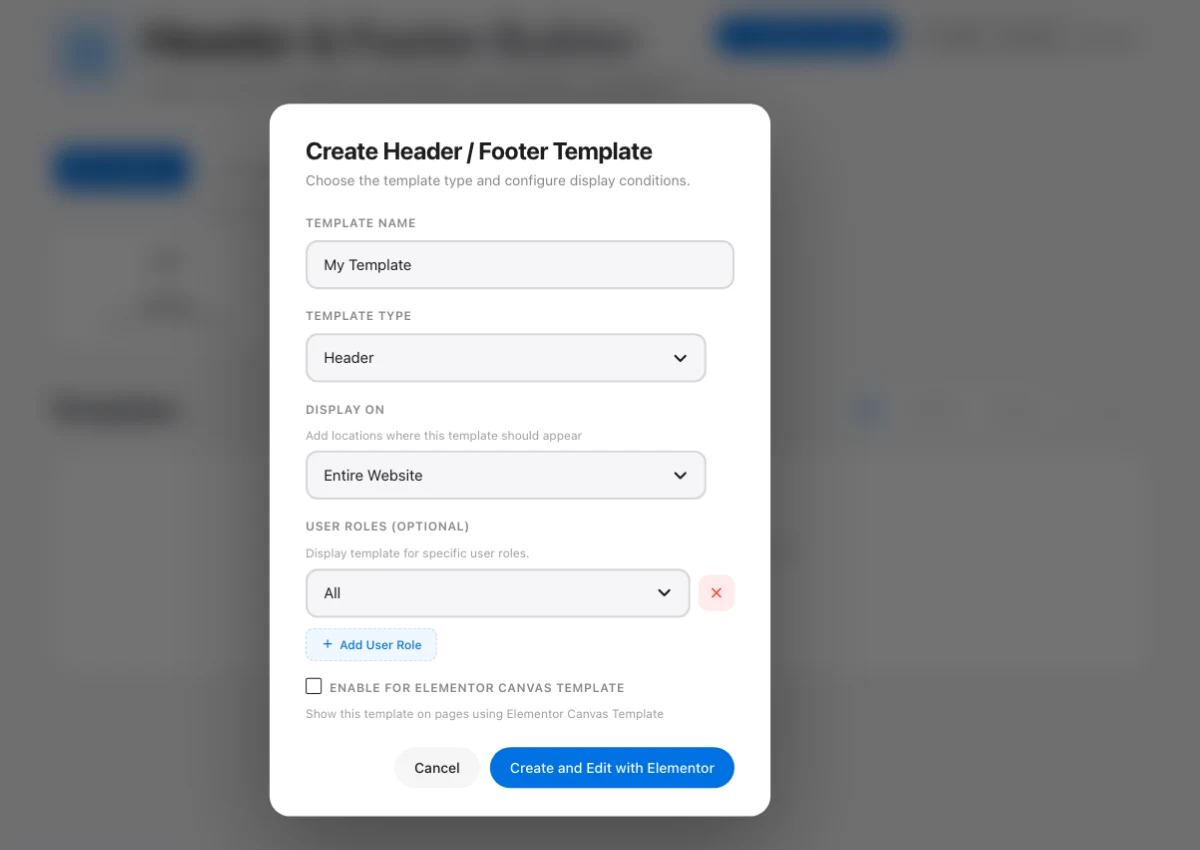
Use a complete header and footer across your website, then give campaign pages a simpler version when that helps visitors focus.
Choose the feature access that fits the site you are building.
Works with free Elementor and King Addons. Features listed as Pro require active premium access.
Use the same tool for the layouts your visitors need.
Keep your logo, main links and next action consistent across the site.
Use a simpler layout for a campaign and choose its display locations.
Group support, company and resource links so visitors have a clear next step.
Explore the documentation for setup details.
Yes. Assign each template to the pages where you want it to appear.
Yes. Elementor Pro is not required.
See the tool, follow the setup instructions and choose the plan you need.
Find the King Addons plan that fits your sites.